Searching for Sales Leads
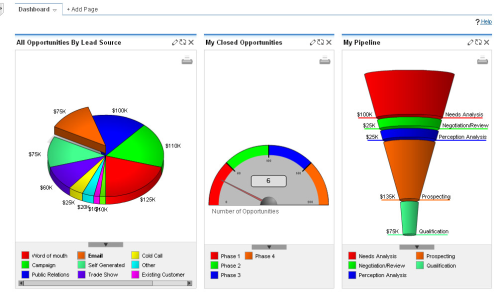
The best definition of “marketing” I have read is by Dave Kellog in the What the CEO Really Thinks of Marketing (And 5 Things You Can Do About It) presentation. He says that marketing exists to make sales easier. For example, the process of searching for sales opportunities can be optimized if we pay attention to what our prospectives and current customers are sharing on different social media. Good corporate blogs include insightful information about the company’s aims. The first step in this direction is to discover what web resources a specific company has available. The discovery process is easier for companies than for individuals. Individuals uses a variety of aliases and alternative identities on the web. while companies with good communication strategies provide links to all of their web resources on their primary sites.
Discovery
We offer a script which retrieves web resources connected to any company’s URL. With this tool you will no longer waste time manually searching for this useful information. Companies and people usually have a number of associated sites: blogs; LinkedIn accounts; Twitter accounts; Facebook pages; and videos and photos on specialized sites such as YouTube, Vimeo, Flickr, or Picassa. A recursive level of page crawling is needed to retrieve the location of associated resources. Large companies such as IBM or Dell have multiple accounts associated with different areas. IBM has different Twitter accounts for their research divisions and for the important corporate news.
Usage
fwc.py <input.yaml> <output.yaml>
Look at data-science-organizations.yaml for an example.
Prerequisites
- Python 2.7 (or greater 2.x series)
- lxml.html
- parse_domain.py
- PyYAML
Script
This code is available at github.
fwc.py
#!/usr/bin/python2.7

import argparse
import sys
from focused_web_crawler import FocusedWebCrawler
import logging
import code
import yaml
from constraint import Constraint

def main():
   logger = logging.getLogger('data_big_bang.focused_web_crawler')
   ap = argparse.ArgumentParser(description='Discover web resources associated with a site.')
   ap.add_argument('input', metavar='input.yaml', type=str, nargs=1, help ='YAML file indicating the sites to crawl.')
   ap.add_argument('output', metavar='output.yaml', type=str, nargs=1, help ='YAML file with the web resources discovered.')

   args = ap.parse_args()

   input = yaml.load(open(args.input[0], "rt"))

   fwc = FocusedWebCrawler()

   for e in input:
      e.update({'constraint': Constraint()})
      fwc.queue.put(e)

   fwc.start()
   fwc.join()

   with open(args.output[0], "wt") as s:
      yaml.dump(fwc.collection, s, default_flow_style = False)

if __name__ == '__main__':
   main()
focused-web-crawler.py
from threading import Thread, Lock
from worker import Worker
from Queue import Queue
import logging

class FocusedWebCrawler(Thread):
   NWORKERS = 10
   def __init__(self, nworkers = NWORKERS):
      Thread.__init__(self)
      self.nworkers = nworkers
      #self.queue = DualQueue()
      self.queue = Queue()
      self.visited_urls = set()
      self.mutex = Lock()
      self.workers = []
      self.logger = logging.getLogger('data_big_bang.focused_web_crawler')
      sh = logging.StreamHandler()
      formatter = logging.Formatter('%(asctime)s - %(name)s - %(levelname)s - %(message)s')
      sh.setFormatter(formatter)
      self.logger.addHandler(sh)
      self.logger.setLevel(logging.INFO)
      self.collection = {}
      self.collection_mutex = Lock()

   def run(self):
      self.logger.info('Focused Web Crawler launched')
      self.logger.info('Starting workers')
      for i in xrange(self.nworkers):
         worker = Worker(self.queue, self.visited_urls, self.mutex, self.collection, self.collection_mutex)
         self.workers.append(worker)
         worker.start()

      self.queue.join() # Wait until all items are consumed

      for i in xrange(self.nworkers): # send a 'None signal' to finish workers
         self.queue.put(None)

      self.queue.join() # Wait until all workers are notified

#     for worker in self.workers:
#        worker.join()

      self.logger.info('Finished workers')
      self.logger.info('Focused Web Crawler finished')
worker.py
from threading import Thread
from fetcher import fetch
from evaluator import get_all_links, get_all_feeds
from collector import collect
from urllib2 import HTTPError
import logging

class Worker(Thread):
   def __init__(self, queue, visited_urls, mutex, collection, collection_mutex):
      Thread.__init__(self)
      self.queue = queue
      self.visited_urls = visited_urls
      self.mutex = mutex
      self.collection = collection
      self.collection_mutex = collection_mutex
      self.logger = logging.getLogger('data_big_bang.focused_web_crawler')

   def run(self):
      item = self.queue.get()

      while item != None:
         try:
            url = item['url']
            key = item['key']
            constraint = item['constraint']
            data = fetch(url)

            if data == None:
               self.logger.info('Not fetched: %s because type != text/html', url)
            else:
               links = get_all_links(data, base = url)
               feeds = get_all_feeds(data, base = url)
               interesting = collect(links)

               if interesting:
                  self.collection_mutex.acquire()
                  if key not in self.collection:
                     self.collection[key] = {'feeds':{}}

                  if feeds:
                     for feed in feeds:
                        self.collection[key]['feeds'][feed['href']] = feed['type']

                  for service, accounts in interesting.items():
                     if service not in self.collection[key]:
                        self.collection[key][service]  = {}

                     for a,u in accounts.items():
                        self.collection[key][service][a] = {'url': u, 'depth':constraint.depth}
                  self.collection_mutex.release()

               for l in links:
                  new_constraint = constraint.inherit(url, l)
                  if new_constraint == None:
                     continue

                  self.mutex.acquire()
                  if l not in self.visited_urls:
                     self.queue.put({'url':l, 'key':key, 'constraint': new_constraint})
                     self.visited_urls.add(l)
                  self.mutex.release()

         except HTTPError:
            self.logger.info('HTTPError exception on url: %s', url)

         self.queue.task_done()

         item = self.queue.get()

      self.queue.task_done() # task_done on None
fetcher.py
import urllib2
import logging

def fetch(uri):
   fetch.logger.info('Fetching: %s', uri)
   #logger = logging.getLogger('data_big_bang.focused_web_crawler')
   print uri

   h = urllib2.urlopen(uri)
   if h.headers.type == 'text/html':
      data = h.read()
   else:
      data = None

   return data

fetch.logger = logging.getLogger('data_big_bang.focused_web_crawler')
evaluator.py
import lxml.html
import urlparse

def get_all_links(page, base = ''):
   doc = lxml.html.fromstring(page)
   links = map(lambda x: urlparse.urljoin(base, x.attrib['href']), filter(lambda x: 'href' in x.attrib, doc.xpath('//a')))

   return links

def get_all_feeds(page, base = ''):
   doc = lxml.html.fromstring(page)

   feeds = map(lambda x: {'href':urlparse.urljoin(base, x.attrib['href']),'type':x.attrib['type']}, filter(lambda x: 'type' in x.attrib and x.attrib['type'] in ['application/atom+xml', 'application/rss+xml'], doc.xpath('//link')))

   return feeds
constraint.py
import urlparse
from parse_domain import parse_domain

class Constraint:
   DEPTH = 1
   def __init__(self):
      self.depth = 0

   def inherit(self, base_url, url):
      base_up = urlparse.urlparse(base_url)
      up = urlparse.urlparse(url)

      base_domain = parse_domain(base_url, 2)
      domain = parse_domain(url, 2)

      if base_domain != domain:
         return None

      if self.depth >= Constraint.DEPTH: # only crawl two levels
         return None
      else:
         new_constraint = Constraint()
         new_constraint.depth = self.depth + 1

         return new_constraint
collector.py
import urlparse
import re

twitter = re.compile('^http://twitter.com/(#!/)?(?P[a-zA-Z0-9_]{1,15})$')

def collect(urls):
   collection = {'twitter':{}}
   for url in urls :
      up = urlparse.urlparse(url)
      hostname = up.hostname

      if hostname == None:
         continue

      if hostname == 'www.facebook.com':
         pass
      elif hostname == 'twitter.com':
         m = twitter.match(url)

         if m:
            gs = m.groupdict()
            if 'account' in gs:
               if gs['account'] != 'share': # this is not an account, although http://twitter.com/#!/share says that this account is suspended.
                  collection['twitter'][gs['account']] = url
      elif hostname == 'www.linkedin.com':
         pass
      elif hostname == 'plus.google.com':
         pass
      elif hostname == 'www.slideshare.net':
         pass
      elif hostname == 'www.youtube.com':
         pass
      elif hostname == 'www.flickr.com':
         pass
      elif hostname[-9:] == '.xing.com':
         pass
      else:
         continue

   return collection
Further Work
This process can be integrated with a variety of CRM and business intelligence processes like Salesforce, Microsoft Dynamics, and SAP. These applications provide APIs to retrieve company URLs which you can crawl with our script.
The discovery process is just the first step in studying your prospective customers and generating leads. Once you have stored the sources of company information it is possible to apply machine learning tools to search for more opportunities.
See Also
- Enriching a List of URLs with Google Page Rank
- Integrating Google Analytics into your Company Loop with a Microsoft Excel Add-on